AI Hairstyle Changer
Try a haircut on your own photo. The cuts are matched to your measured face shape, not a quiz: same face, same hair colour, a new cut.
Free scan and one free preview where available · no sign-up · browse all 48 styles ↓
Best results: a front-facing, well-lit photo with your whole head in frame and hair pulled back from your forehead and jawline. Not sure what suits you at all? Start with the free hairstyle finder.
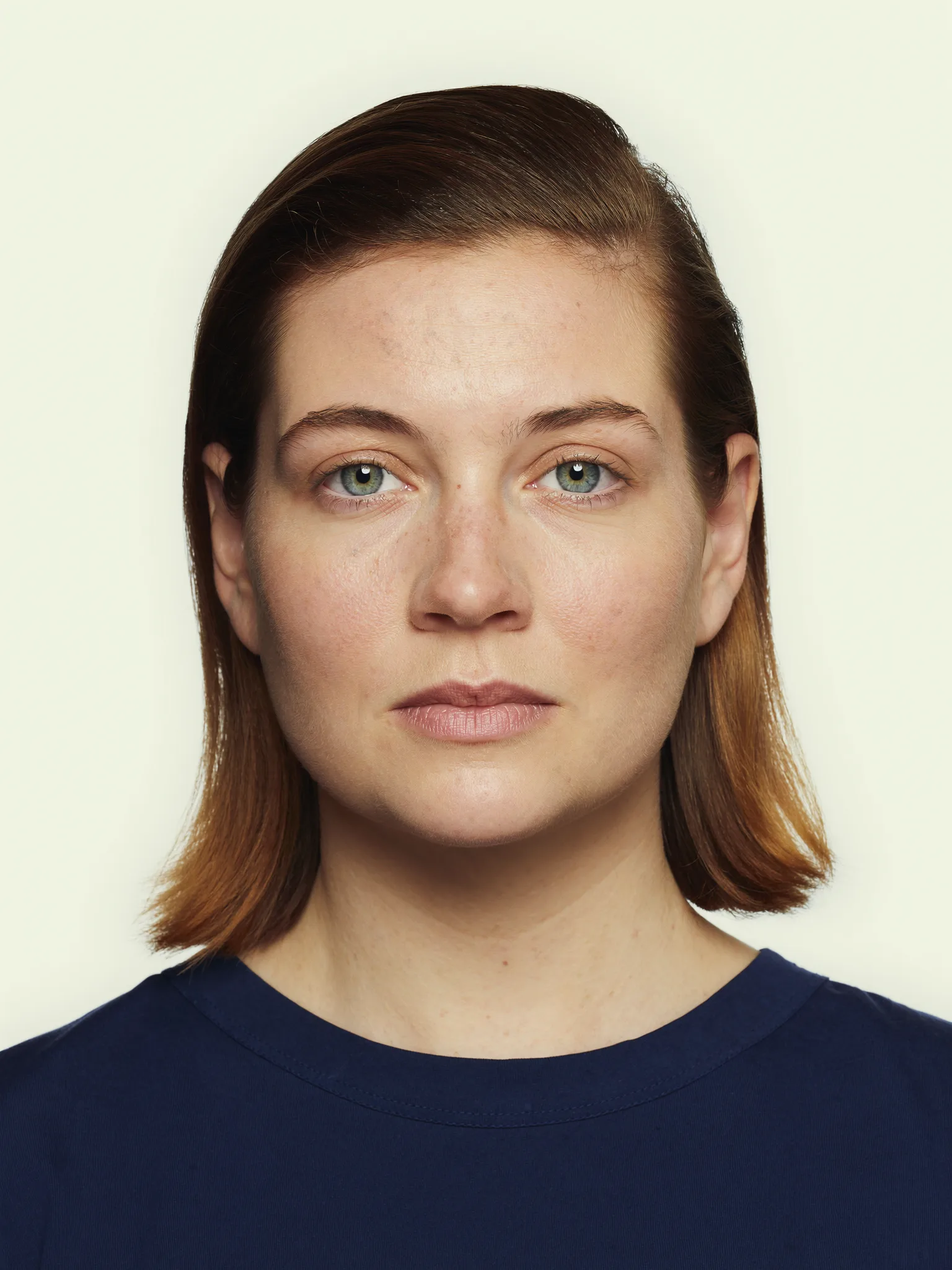 before
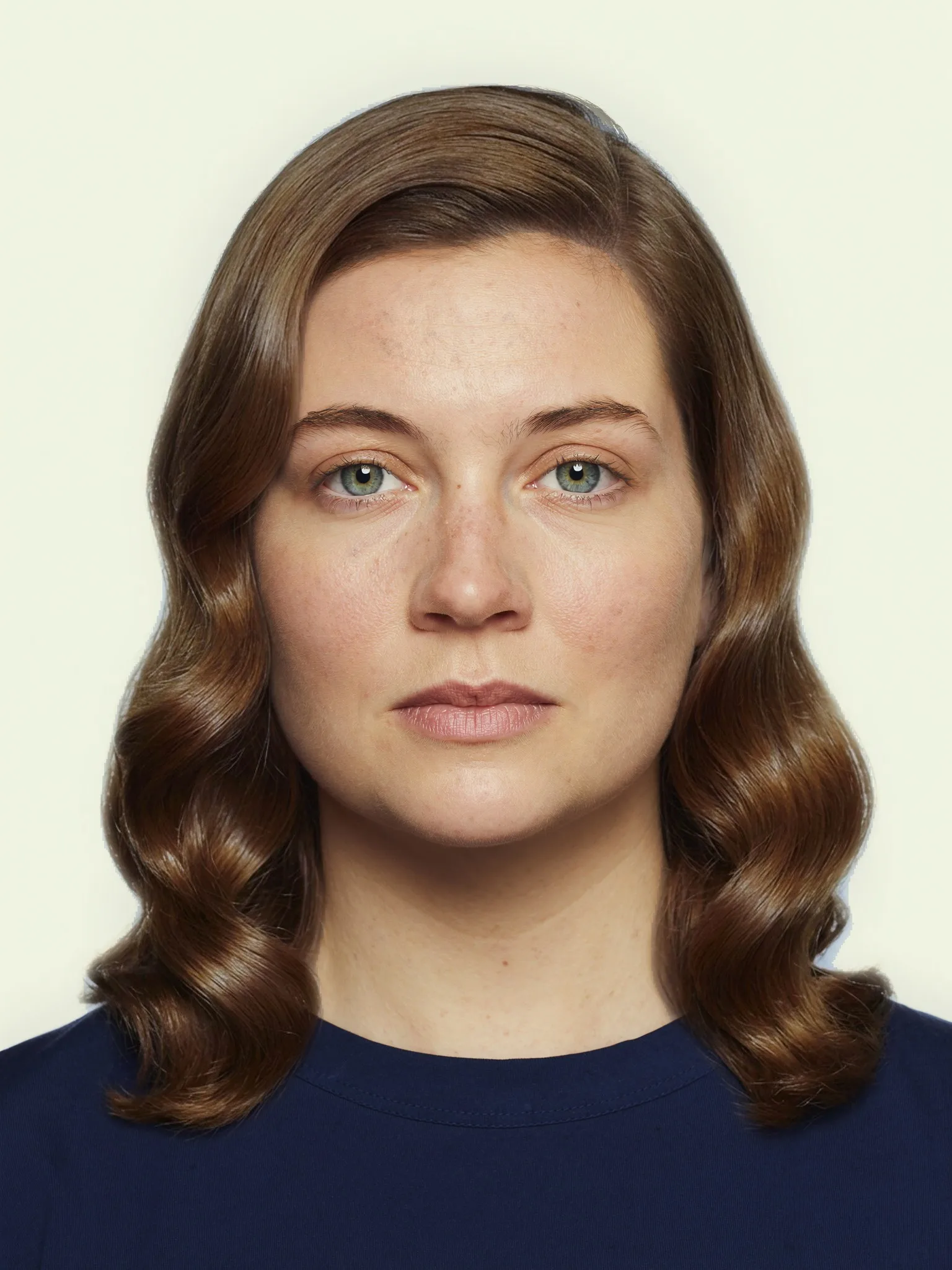 after
Real result generated with this tool
Upload a photo
Drag and drop or choose a file
JPG, PNG or HEIC, up to 30MB
Your photo stays on this device while we detect your face shape - it is only sent to Google Gemini after you consent and pay. ·
How the AI hairstyle changer works
- 1
Upload a front-facing photo. The face-shape scan runs in your browser from 478 landmarks. Your photo stays on your device for this step.
- 2
See the 6 cuts matched to your face shape. Choose women's or men's cuts. The 6 shown are picked for your measured shape and proportions from a catalogue of 48, each previewed on a model.
- 3
Try one on your own photo. Pick the cut you most want to see and confirm permission. Where the free preview is offered, your photo is sent to Google Gemini once, the cut is drawn on it in about 30 seconds, and an automatic check compares the result with your photo before it is shown.
- 4
Get all 6 if you want them. The Hairstyle Try-On draws all 6 matched cuts on your photo in full quality with no watermark, for $9.99 once, with a PDF by email.
Matched to a measured face shape, not a quiz
Most AI hairstyle changers hand you a wall of styles and leave the choosing to you. That answers “what would I look like with a bob” and skips the question that matters before a salon visit: which cut is worth trying. The same haircut flatters one face and fights another, and face shape is the biggest reason.
So this tool measures first. The scan places 478 landmarks on your photo and compares face length, forehead, cheekbone and jaw widths to sort your face into one of six shapes: oval, round, square, heart, oblong or diamond. It also reads proportions a shape name hides, such as a long face or a wide jaw. The 6 cuts you are offered are the ones stylists’ rules recommend for that shape and those proportions, drawn from a catalogue of 48. You can read the reasoning for your shape in the face shape hairstyle guide, or get the shape on its own with the face shape detector.
Wondering about a fringe in particular? The free bangs check measures your forehead and face shape first and names the type to try on here.
What the free preview is, and its limits
The free preview is one haircut drawn on your own photo by an image model (Google Gemini), then compared with your original by a second model. If the person in the result no longer looks like you, or the cut is not the one asked for, the picture is thrown away rather than shown. The preview carries a small site mark along the bottom.
Each picture costs us money to make, so the free preview has limits: one per person, a set number each day across all visitors, adults only, and it is not offered in every country. When a preview is not available you still get the scan, your face shape and your 6 matched cuts on a model face. Nothing on this page asks for an email address or an account.
All 6 cuts on your photo for $9.99
One picture answers one question. The Hairstyle Try-On draws all 6 of your matched cuts on your photo so you can compare them side by side, in full quality with no site mark. Keep our picks or swap any of them for another cut from the catalogue before you pay. It is a single payment with a 7-day money-back guarantee, not a subscription.
- 6 haircuts rendered on your own photo - same face, same hair colour
- Cuts picked for your measured face shape, or hand-pick your own from the catalog
- Frame & glasses shapes matched to your face shape
- Your color season + wear-these / avoid-these palettes
- Downloadable PDF, emailed to you - no subscription, no account needed
Every haircut you can try on
All 48 cuts the changer can draw, shown on model faces, for women and men. Upload a photo above and the 6 that suit your face shape are picked for you.
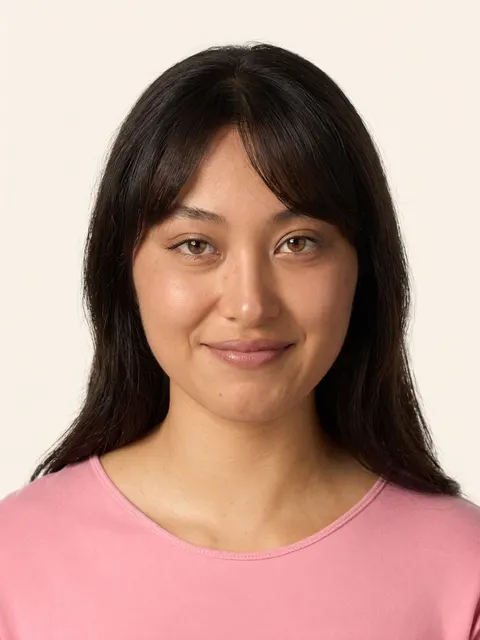
Side-Swept Bangs
Soft bangs swept to one side, framing the face
Best for: oval, round, square, heart, diamond
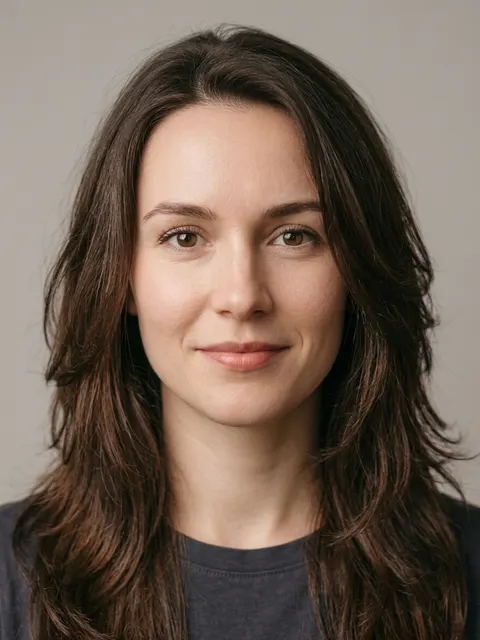
Long Layers
Shoulder-length or longer with layered movement
Best for: oval, round, square, heart, diamond
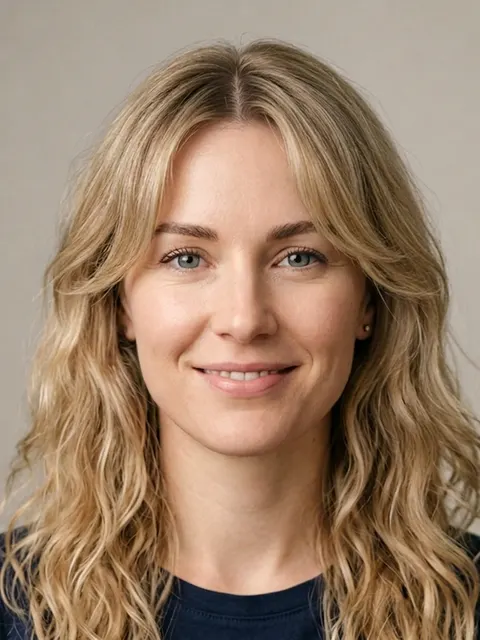
Curtain Bangs
Parted bangs that frame both sides of the face
Best for: oval, round, square, heart, oblong, diamond
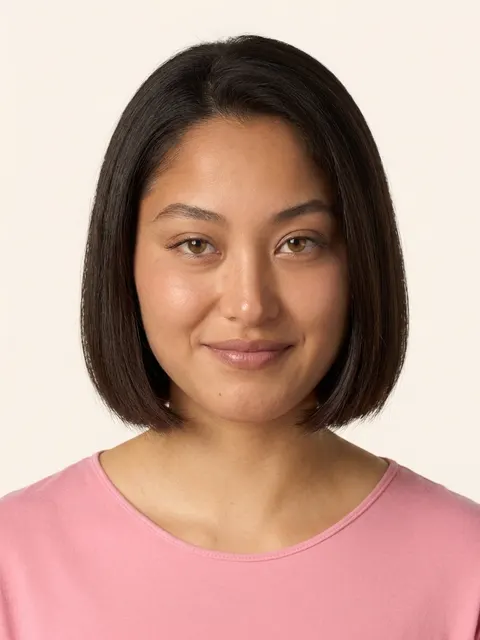
Classic Bob
Chin-length, clean cut with even ends
Best for: oval, heart, oblong, diamond
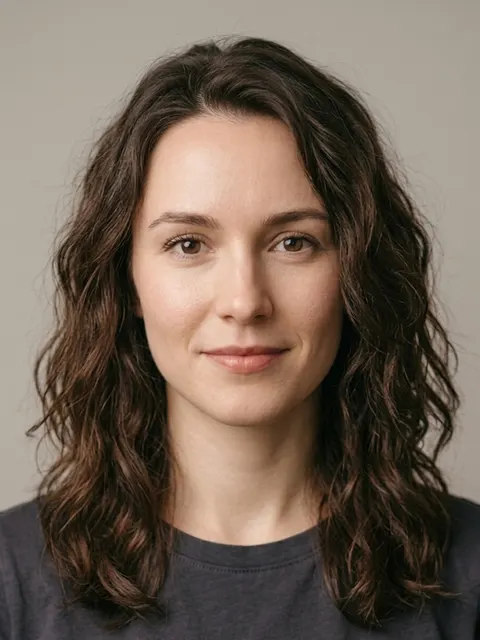
Tousled Waves
Relaxed, beachy waves with natural texture
Best for: oval, square, heart, oblong, diamond
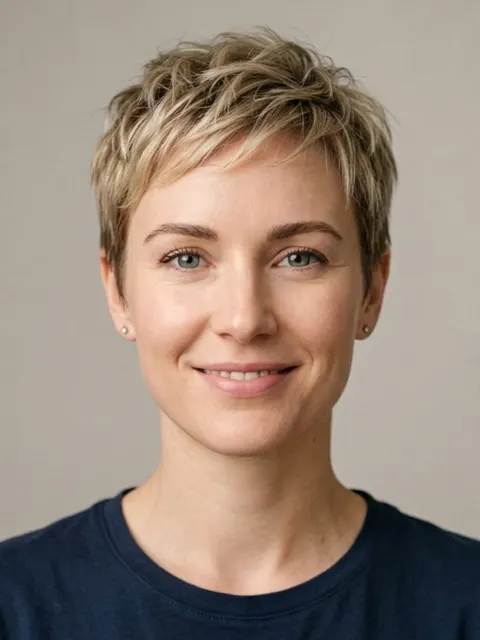
Pixie Cut
Short, cropped style with textured top
Best for: oval
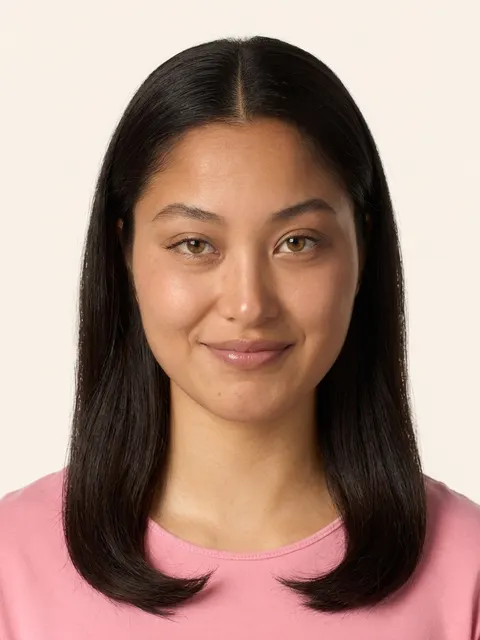
Middle Part
Clean center part with hair falling to the sides
Best for: oval
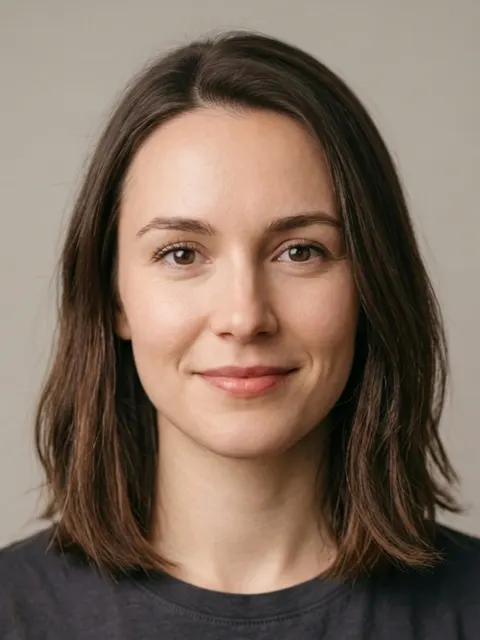
Long Bob
Collarbone-length 'lob', clean and modern
Best for: oval, round, square, heart, oblong, diamond
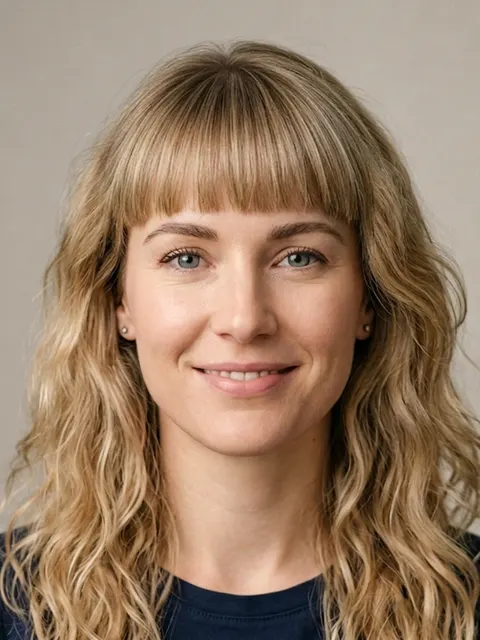
Blunt Bangs
Straight bangs across the forehead
Best for: oval, oblong
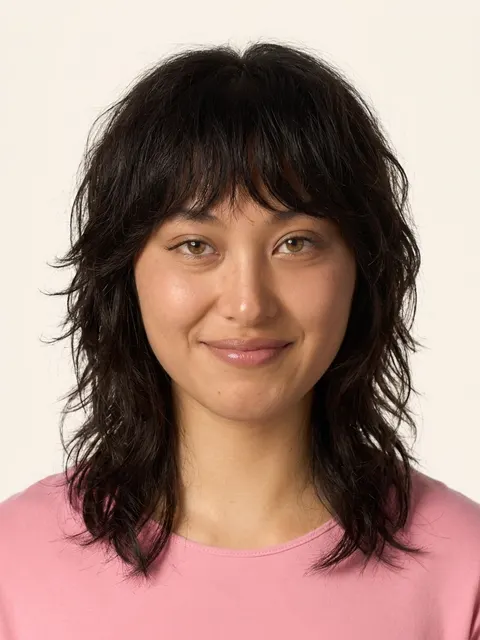
Shag
Choppy layers with effortless volume
Best for: oval, square, heart, oblong, diamond
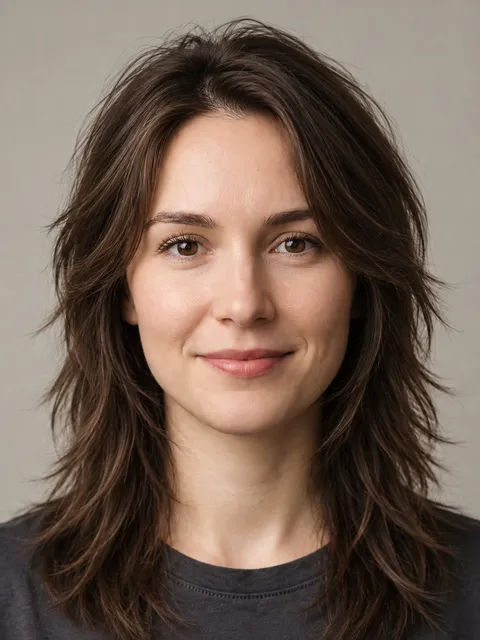
Wolf Cut
Shaggy layers with volume at the crown and wispy ends
Best for: oval, round, square, heart, diamond
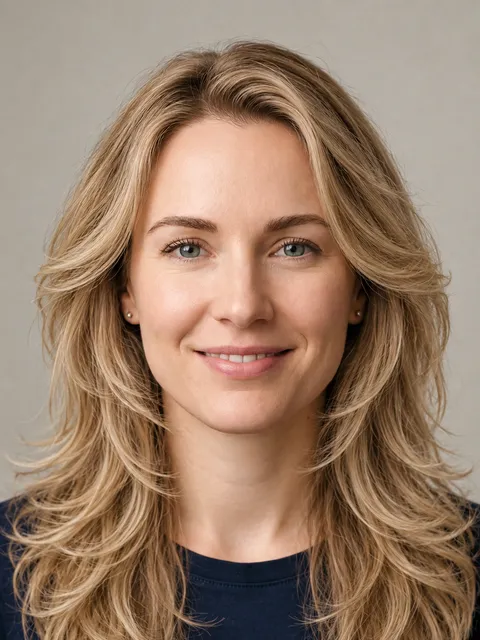
Butterfly Cut
Long hair with short face-framing layers over longer ones
Best for: oval, round, square, heart, diamond
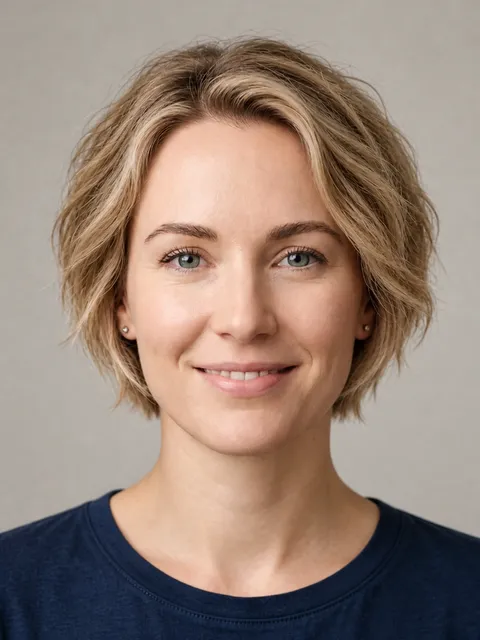
Bixie Cut
Pixie length at the back, soft bob layers around the face
Best for: oval, round, square, heart
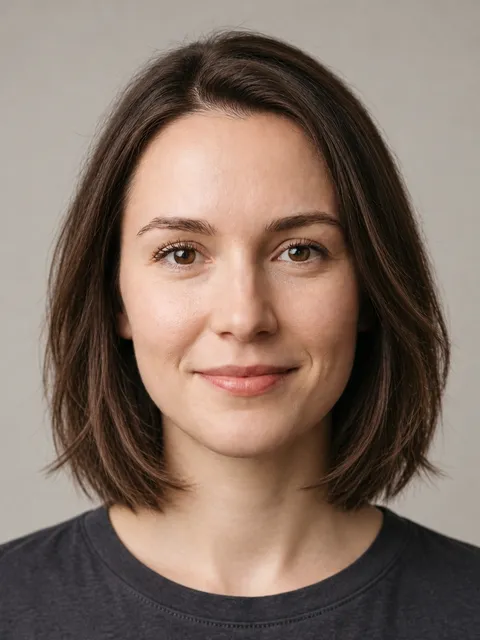
Layered Bob
Chin-to-shoulder bob with soft movement through the ends
Best for: oval, round, square, heart, oblong, diamond
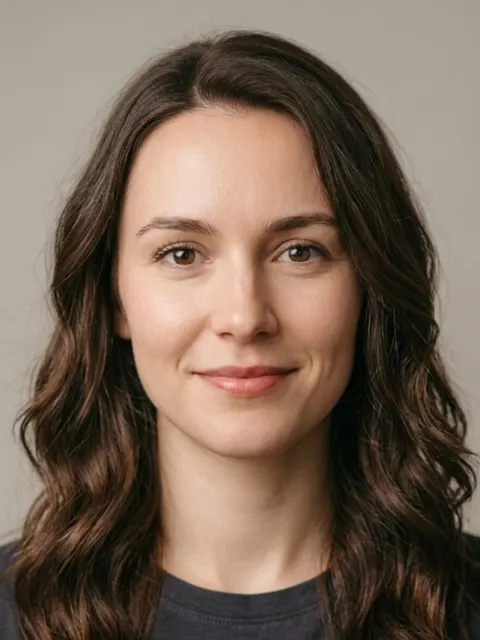
Soft Waves
Loose, soft waves with natural shine
Best for: oval, round, square, heart, oblong, diamond
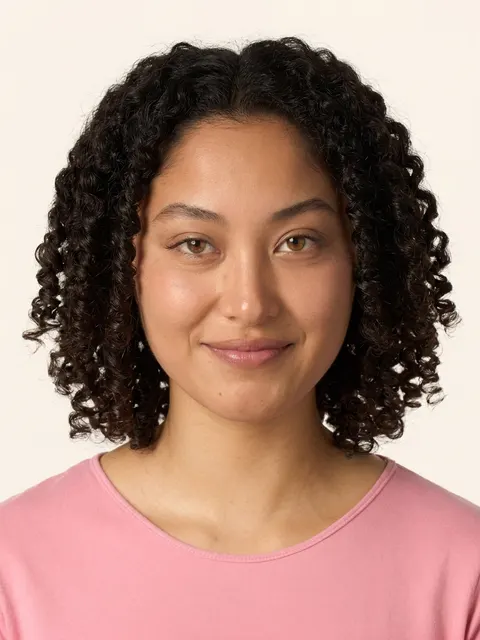
Coily Twist-Out
Defined coily twist-out with natural volume
Best for: oval, square, heart, oblong
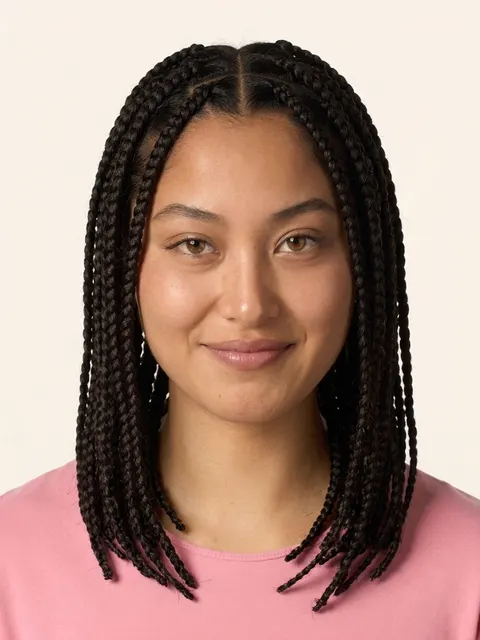
Box Braids
Long, neatly sectioned braids
Best for: oval, round, square, oblong
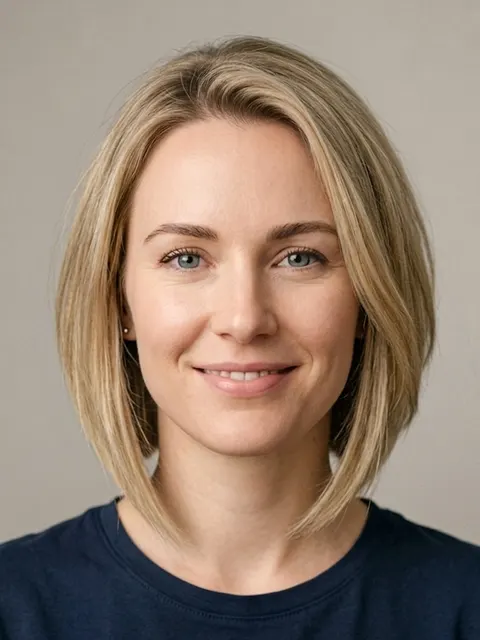
Angled Bob
Bob cut longer at the front, shorter at the back
Best for: oval, round, heart, oblong, diamond
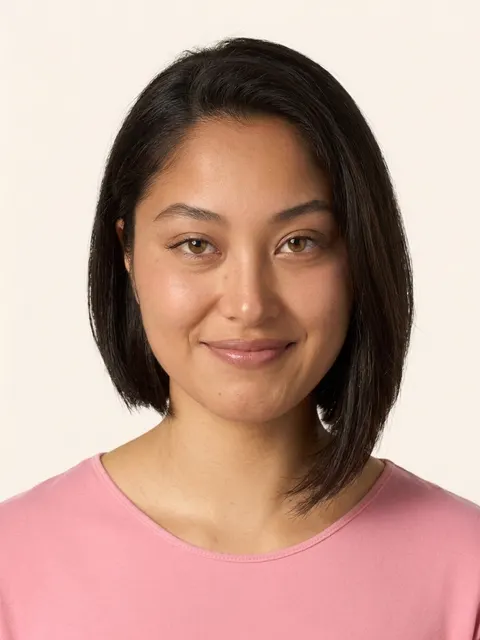 Bold pick
Asymmetrical Bob
Edgy bob with uneven, offset lengths
Best for: oval, round, square, heart, diamond
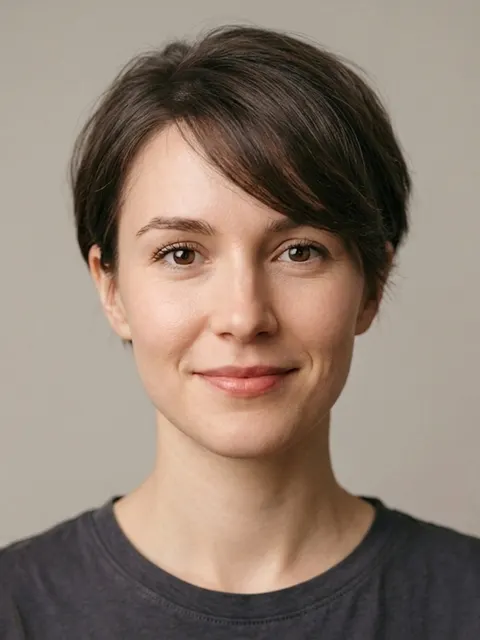
Side-Swept Pixie
Soft pixie with a longer swept fringe
Best for: oval, round, heart, diamond
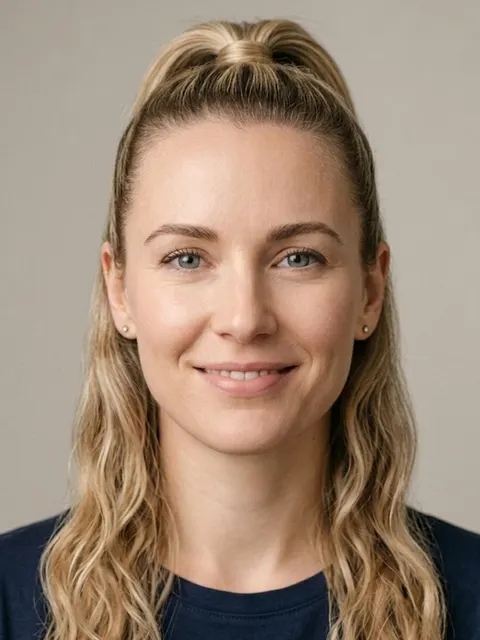
High Ponytail
Hair pulled up into a high, sleek ponytail
Best for: oval, round, heart, diamond
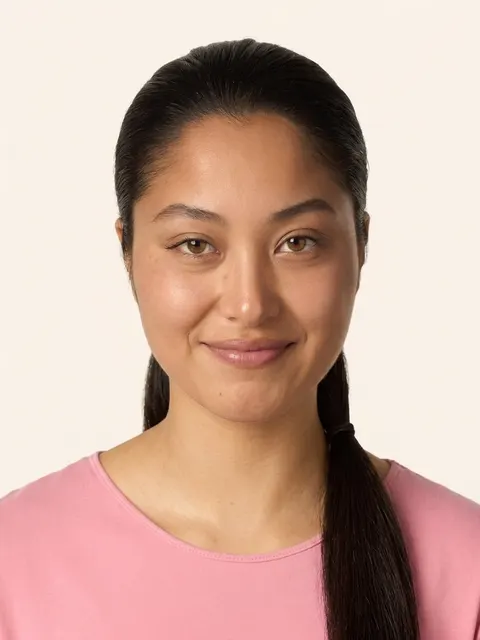
Low Ponytail
Polished ponytail gathered at the nape
Best for: oval, round, square, heart, diamond
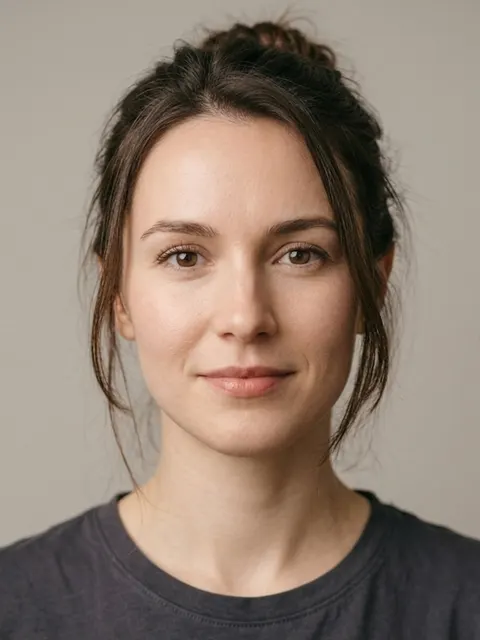
Messy Bun
Relaxed, loosely gathered bun
Best for: oval, round, square, heart, oblong, diamond
 Bold pick
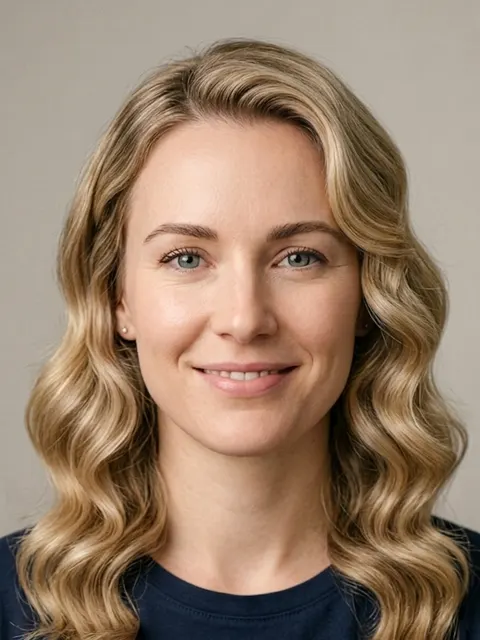
Hollywood Waves
Glamorous deep, polished waves
Best for: oval, round, square, heart, oblong, diamond
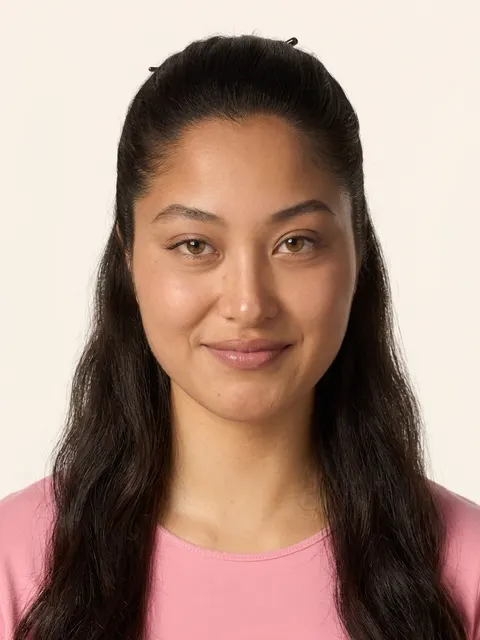
Half-Up, Half-Down
Top section pinned up, the rest left flowing
Best for: oval, round, square, heart, oblong, diamond
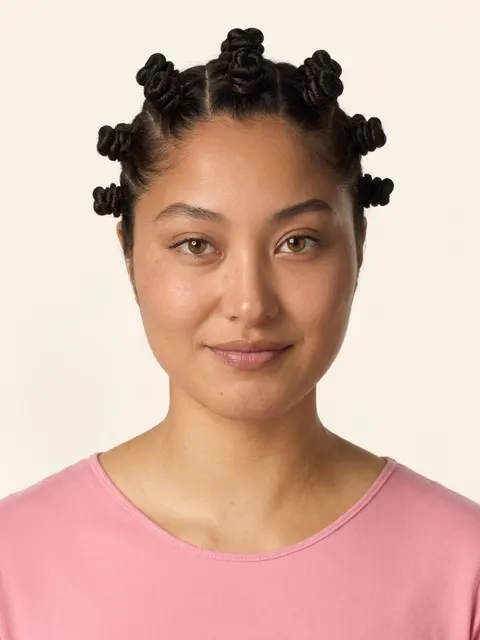
Bantu Knots
Coiled knots sectioned across the scalp
Best for: oval, round, square, heart, oblong, diamond
What changes in the picture, and what does not
The model is asked to change the haircut and nothing else: your face, skin, expression, lighting and background stay, and so does your hair colour, so you judge the cut and not a dye job. To see a colour change, use the free hair colour try-on, which recolours your own hair in the browser.
Treat the result as a realistic sketch to take to a stylist, not a promise. An image model cannot know your hair’s texture, density or cowlicks, and a cut that needs length you do not have will take time to grow. A stylist can tell you how a cut will sit on your hair; the picture tells you whether you like the shape on your face.
Questions
- Is the AI hairstyle changer free?
- The face-shape scan and your 6 matched cuts are free for everyone. One preview on your own photo is free where it is offered: one per person, a limited number each day, adults only, and not in every country. When a free preview is not available you see the cut on a model face instead. All 6 cuts on your photo cost $9.99 once.
- Do I need to sign up or install an app?
- No. It runs in your browser on a phone or computer. There is no account, no email and no app for the scan or the free preview.
- How is this different from other AI hairstyle changers?
- Most tools let you pick any style and hope it suits you. This one measures your face shape first, then offers the 6 cuts that suit that shape, so the picture you get is a cut worth asking a stylist for. Each result is also checked against your photo before you see it, and a result that changes your face is not shown.
- Does the AI change my face or my hair colour?
- It is told to change only the haircut and keep your face, skin, hair colour, lighting and background. An image model redraws the whole picture, so small differences can appear; that is why a second model compares the result with your photo and rejects a picture where the person no longer looks like you.
- What happens to my photo?
- The scan never uploads it. For the free preview it is sent to Google Gemini for that one image and we do not store it. If you buy the Try-On, the photo is attached to your order, used for your renders and deleted within 2 hours. Photos are never sold or used to train AI.
- Can I try a hairstyle for men?
- Yes. Choose men's cuts after the scan and the matched cuts come from the men's catalogue: crops, quiffs, pompadours, longer styles and more.
- Can I change my hair colour too?
- Not in this tool: it keeps your own colour so you can judge the cut alone. The free hair colour try-on recolours your hair in the browser instead.
- What photo works best?
- A front-facing, well-lit photo with your whole head and shoulders in frame, a neutral expression and hair pulled back from your forehead and jawline. Tight selfie crops leave no room to draw longer hair.