Plastic Surgery Simulator
See a nose job, lip filler, jaw, chin or cheek filler, or a brow lift on your own photo: a conservative AI preview of how it could look, before you book a consultation.
1 token · ~10 seconds to generate
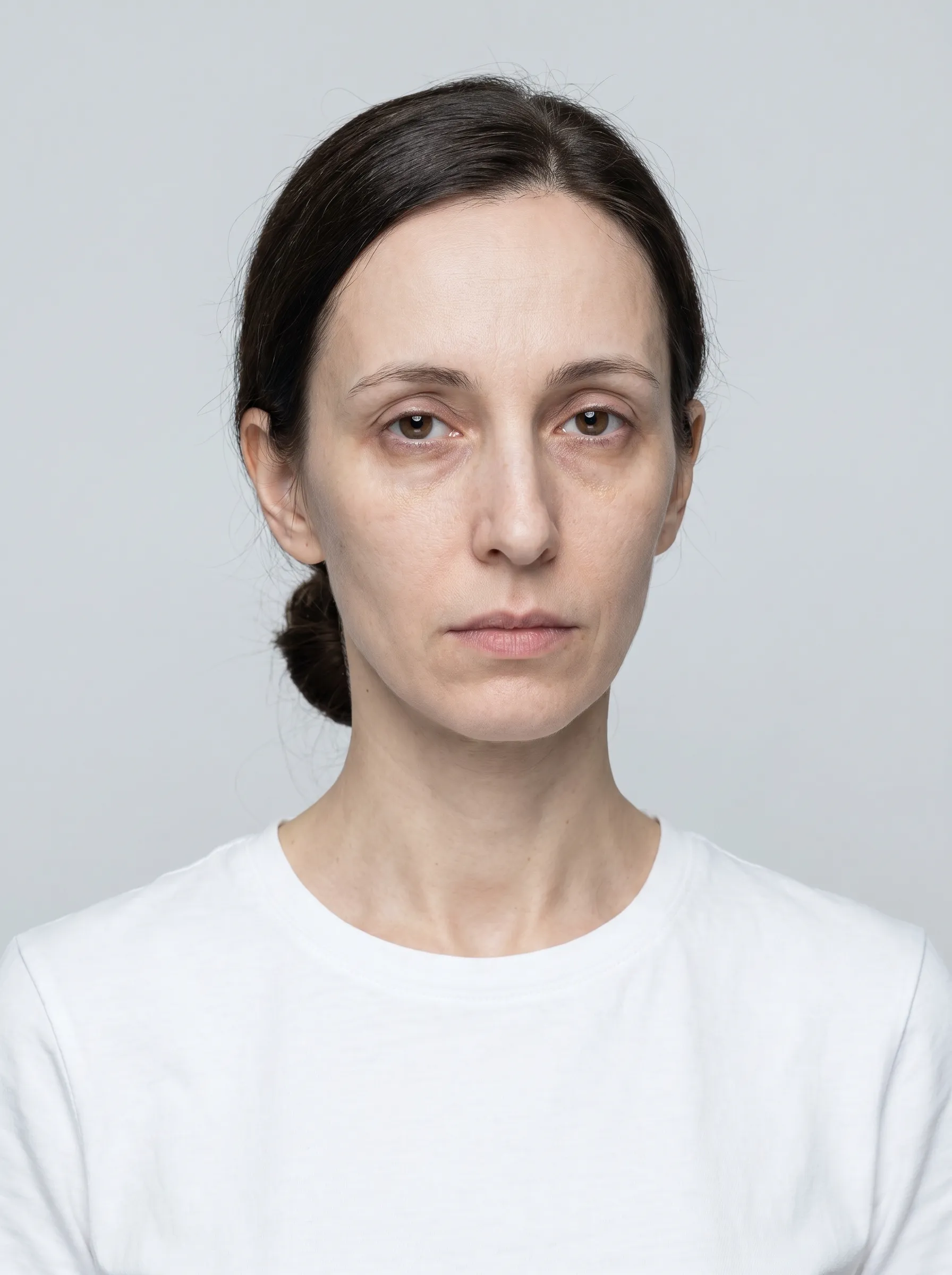 before
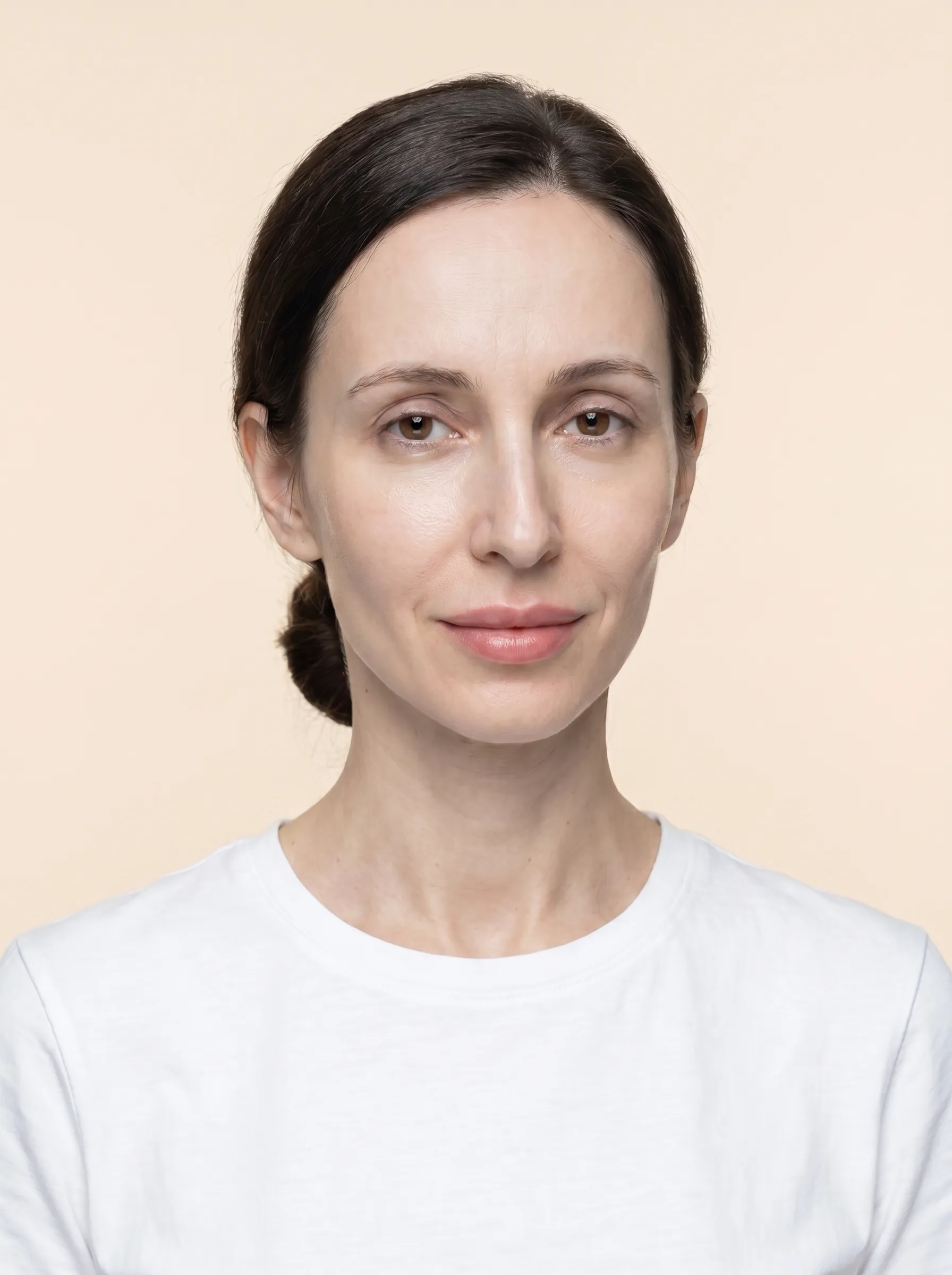 after
Real result generated with this tool - subtle lip filler simulation
Upload a photo
Drag and drop or choose a file
JPG, PNG or HEIC, up to 30MB
Your photo stays on this device while you choose a procedure - it is only sent to Google Gemini after you consent and generate the preview. ·
Procedures you can simulate
Nose Job (Rhinoplasty) Simulator
A conservative rhinoplasty preview: a smoother bridge with any small hump softened and a slightly narrower, more defined tip. Still your nose, just cleaner.
Lip Filler Simulator
A tasteful filler look: slightly fuller, more defined lips that keep your natural shape. No duck-lip exaggeration.
Jaw Filler
A sharper jaw angle and a more defined line along the lower jaw, the result jawline filler is usually booked for.
Chin Filler
A few millimetres of forward projection and a more defined chin for better balance between nose, lips and jaw.
Cheek Filler
Lifted, fuller cheekbones from a mild filler simulation, with more support across the middle of the face.
Brow Lift (Botox)
A subtle lift of the outer brow tail, the effect of a Botox brow lift. Opens up the eye area without a surprised look.
How it works
- 1
Upload a clear, front-facing photo. Free face analysis runs in your browser - your photo never leaves your device for this step.
- 2
Pick a procedure to try.
- 3
Click "Generate Preview" and confirm permission - costs 1 token. Only then is your photo sent securely to our AI, used for this generation, and deleted within 2 hours.
- 4
Compare your before/after side-by-side, download, or try another procedure.
Frequently asked questions
Is this plastic surgery simulator free?
Uploading your photo and the face check are free and run in your browser. Each AI preview costs 1 token; token packs start at $9.99 for 10, so one preview works out at about $1.00. You only pay for the previews you create.
How does the nose job simulator work?
Upload a clear, front-facing photo, choose Rhinoplasty Preview and generate. The AI changes only the nose: it smooths the bridge, softens a small hump and narrows the tip slightly, and keeps your skin, expression, lighting and background as they were, so the before and after can be compared side by side. It works from a front photo only; it does not simulate a side-profile view.
Will my real result look like the preview?
Not necessarily, and you should not expect it to. The preview is an AI illustration of a typical conservative change, not a prediction of your result. A real outcome depends on your anatomy, skin, healing and the practitioner. Surgeons who offer imaging during a consultation base it on your own measurements; this tool does not. Use the preview to decide what to ask about, not what to book.
Which procedures can I simulate?
Six: a nose job (rhinoplasty), lip filler, jaw filler, chin filler, cheek filler and a Botox brow lift. Each one changes only its own area of the face. Larger operations such as a facelift, eyelid surgery or buccal fat removal are not offered.
How much lip filler does the simulation show?
A subtle amount: roughly the look of a first, conservative filler appointment, with your natural lip shape kept. You cannot choose a volume in millilitres. If you want to see a bigger change, ask your injector to show you their own before-and-after photos for the amount you are considering.
Is my photo safe?
Your photo stays on your device while you choose a procedure. It is sent to our AI provider (Google Gemini) only after you confirm permission and generate, is used for that one preview, and is deleted within 2 hours. Previews are for adults: photos that appear to show someone under 18 are refused.
Can men use the simulator?
Yes. Jaw filler, chin filler and rhinoplasty are among the procedures men ask about most, and the preview keeps the rest of your face, beard and hairline as they are.
Is this medical advice?
No. It is an AI simulation for curiosity and for planning questions. It cannot tell you whether a procedure is safe or suitable for you. Only a qualified, licensed medical professional who has examined you can do that.
Important: AI illustration only
These previews are AI simulations created for entertainment and curiosity. They are not medical projections, do not represent any real procedure outcome, and should never be used to make medical or financial decisions about cosmetic treatments. Real procedure results depend on your individual anatomy, the practitioner's skill, and many other factors that AI cannot account for. Always consult a qualified, licensed medical professional before considering any cosmetic procedure.